Everything the app does.
Six parts, in the order a lesson moves through them. Each one is built on the others: a flight logged once is scheduled, billed, paid out, and counted against the aircraft, without being typed again.
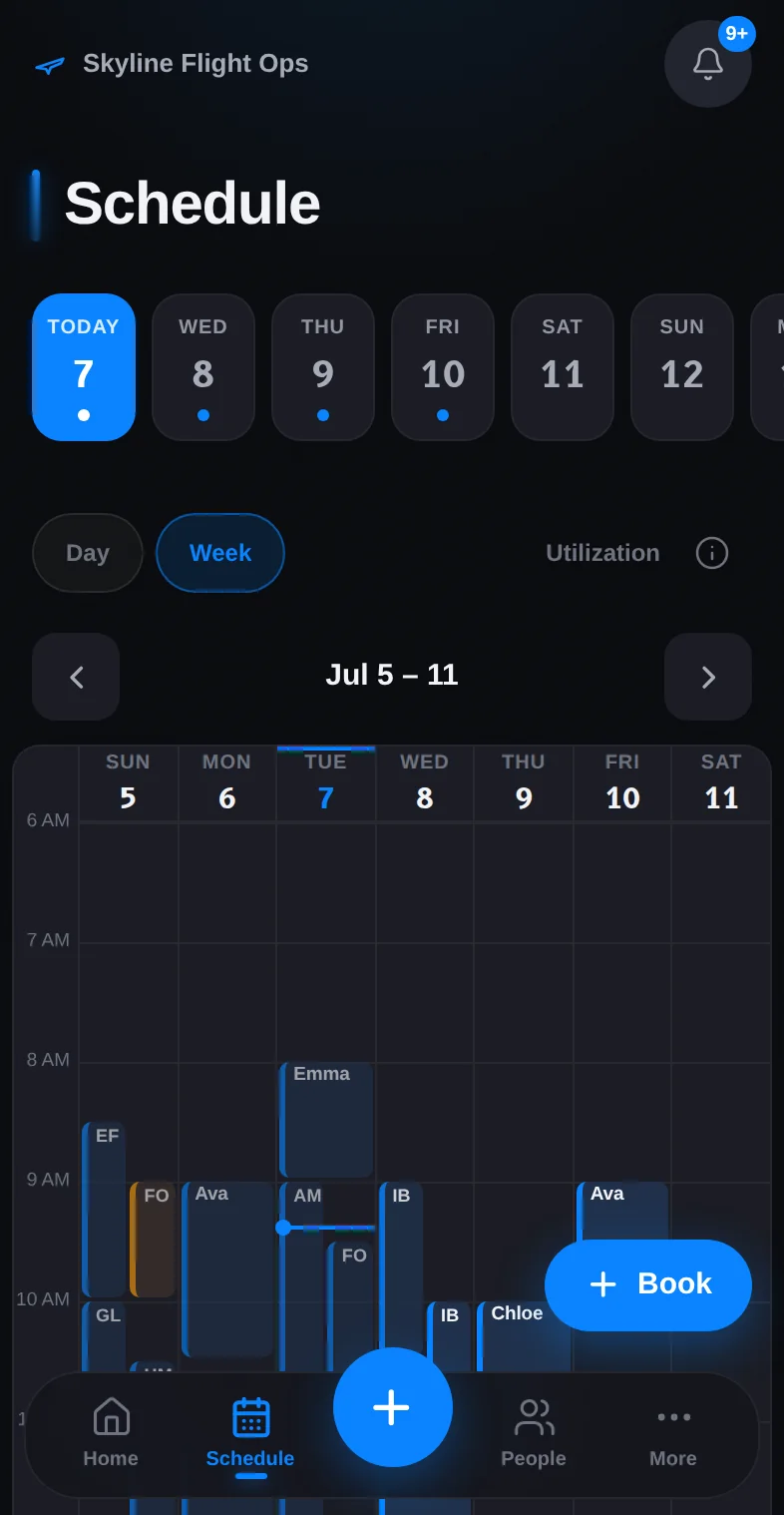 01
01Scheduling
One board for every plane, instructor, and student.
See how it works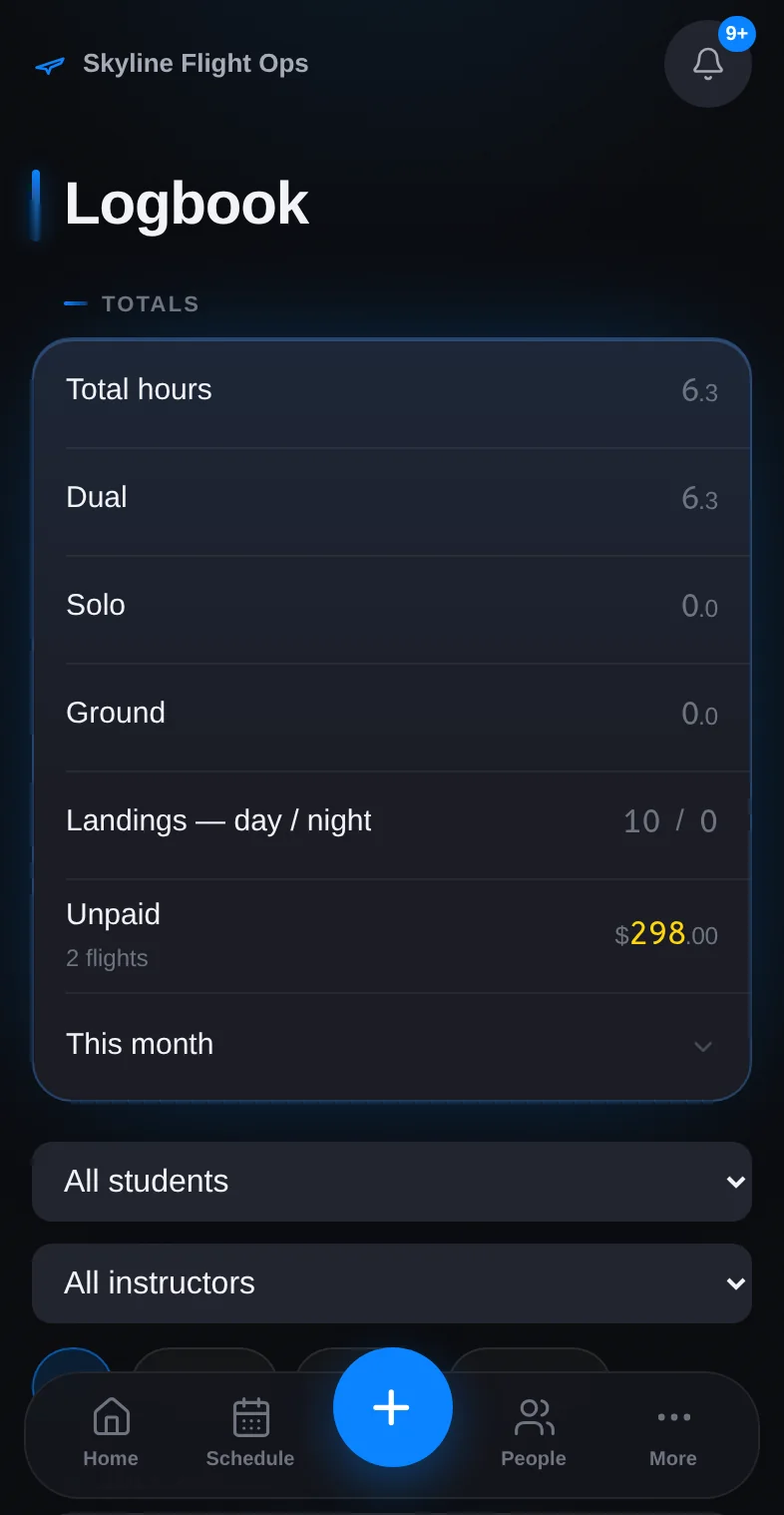 02
02Logbook
Log the flight once. It lands everywhere.
See how it works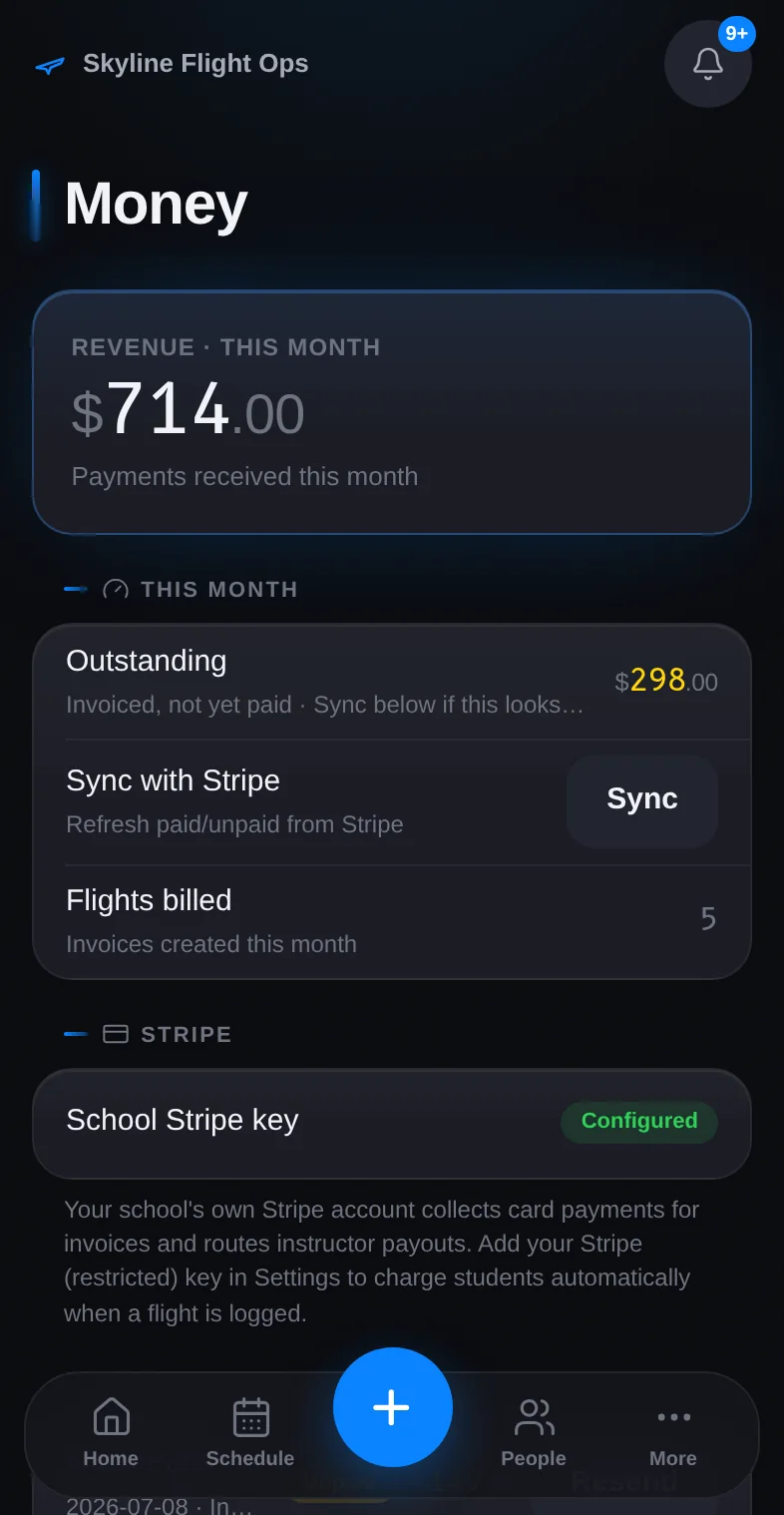 03
03Student billing
The invoice reaches the student before the prop stops.
See how it works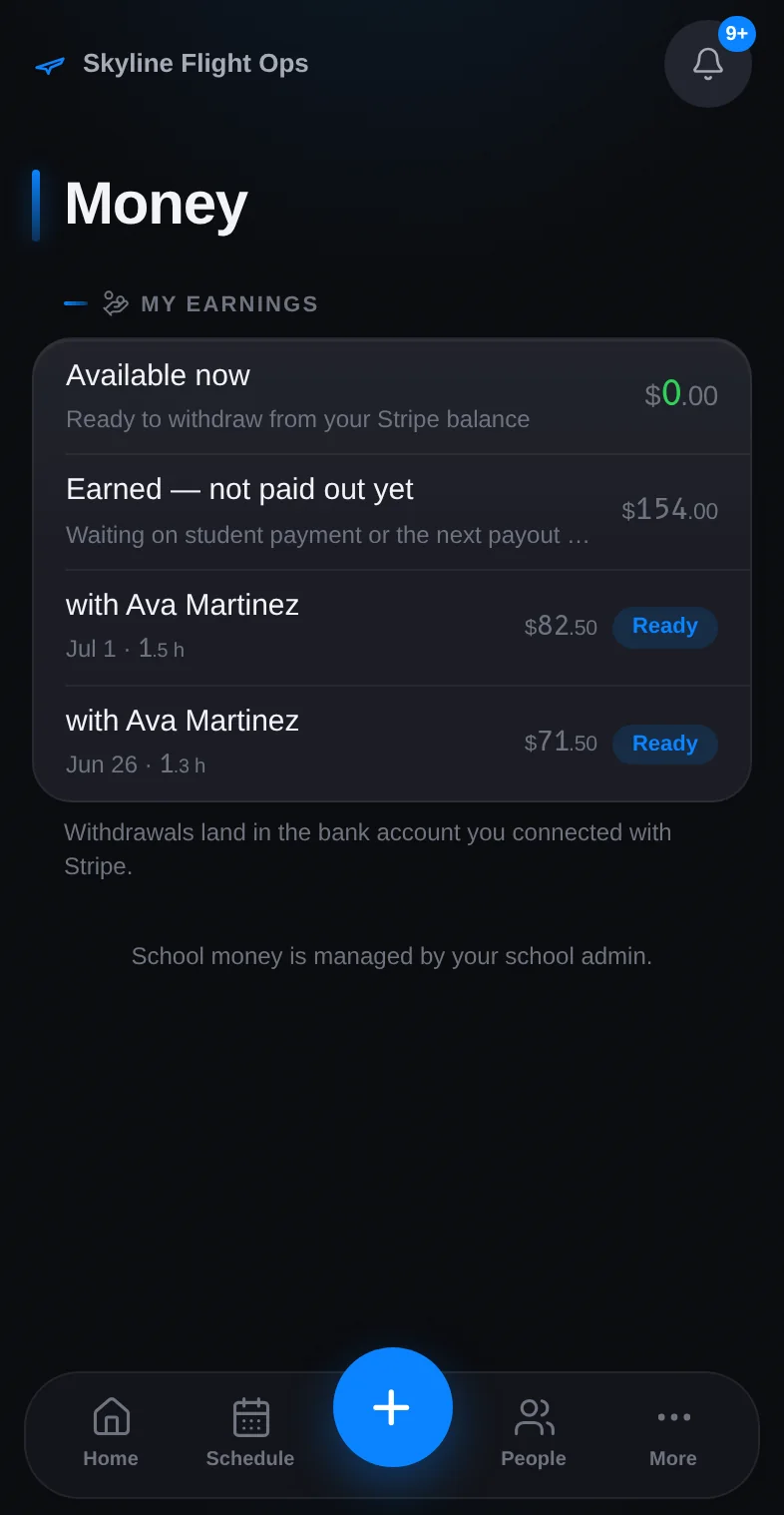 04
04Instructor payouts
Instructors get paid from the same flight.
See how it works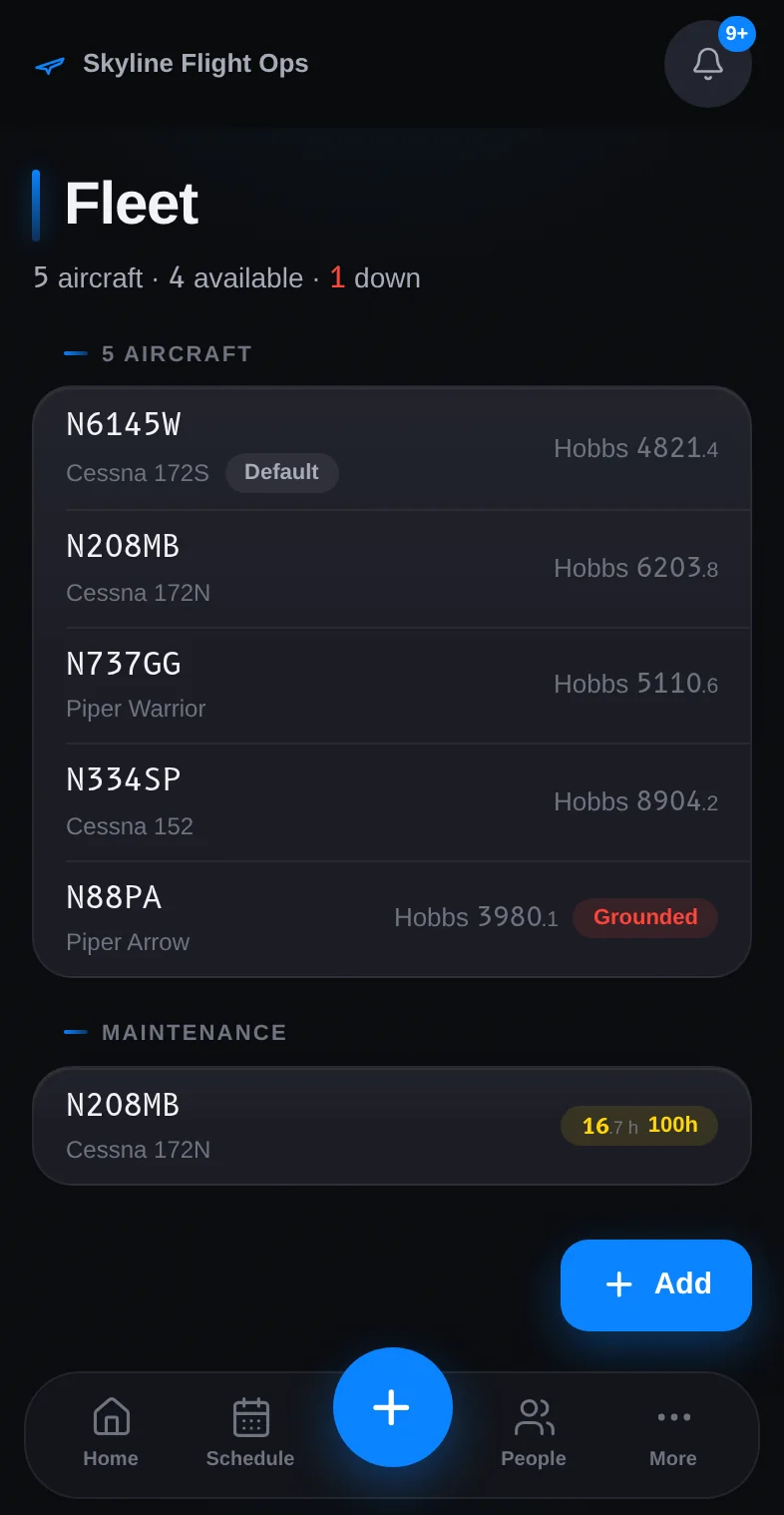 05
05Fleet & maintenance
Know every plane's hours before you book it.
See how it works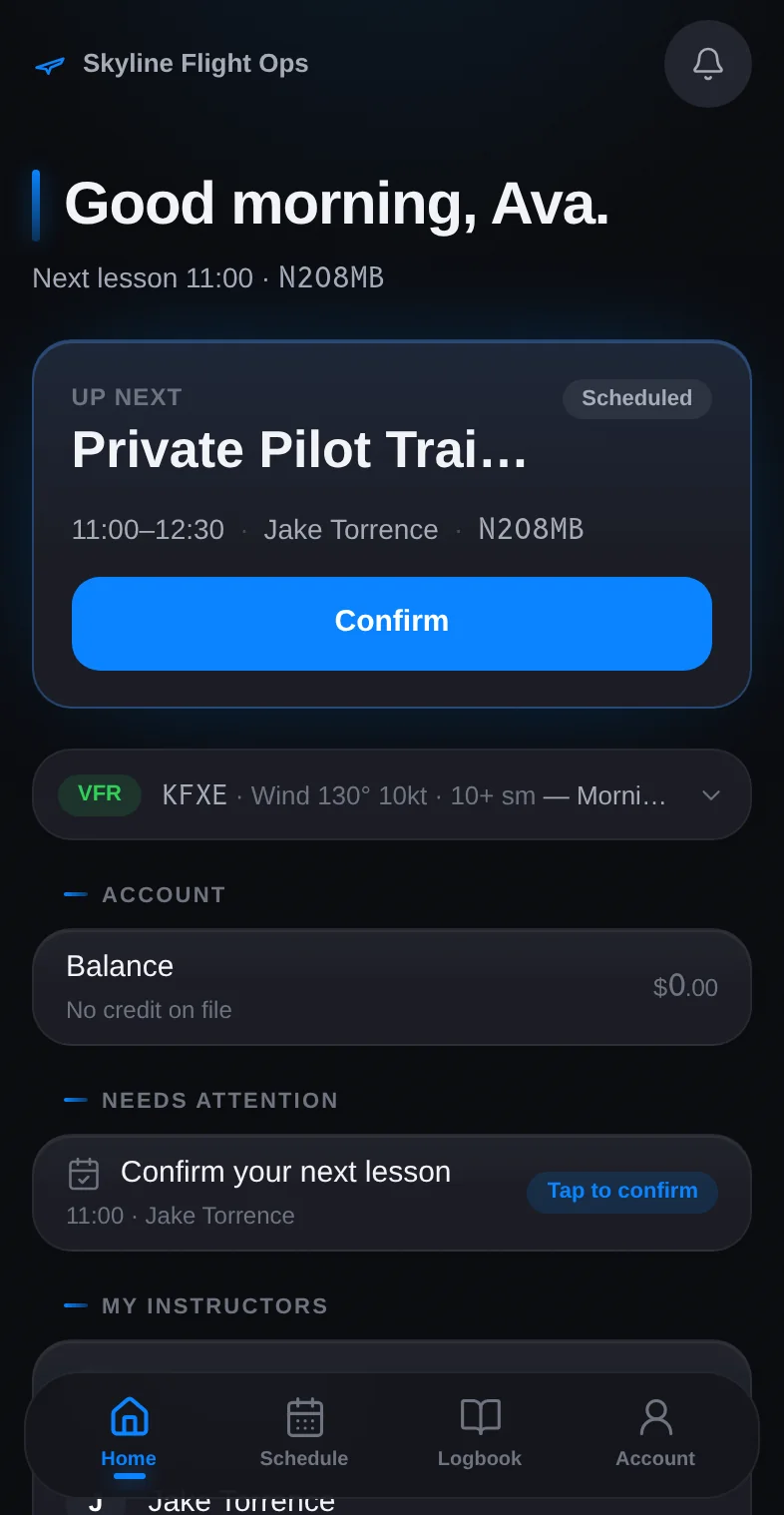 06
06Accounts & permissions
Everyone gets their own view. Nobody gets yours.
See how it works
Start your school
on StratusLog.
Add your aircraft, your instructors, and your first students. Most schools log their first flight the same day.
30 days free on either plan. Card required to start; you won't be charged until the trial ends. Cancel anytime.